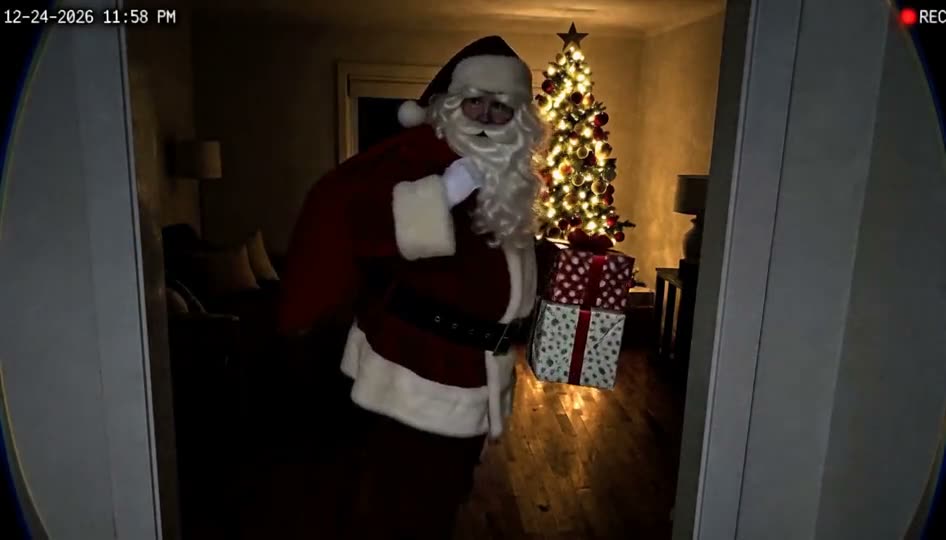
Video · 25–40 credits · about $2.48+
MiniMax H3 video generator
25–40 credits per video (about $2.48+) · credit packs from $9.90, no subscription
Describe a scene, or upload a photo to use as the first frame, and get a 6 or 10 second 768p video with sound made by the MiniMax H3 model. Nothing to install and no subscription.
Text or 1 photo · 6 or 10 s · 768p with sound
Make yours
Credit packs from $9.90, no subscription. See packs
Your video will appear here.
- ✓ Failed runs refund their credits automatically
- ✓ Unused credits refundable within 14 days of purchase
- ✓ No subscription
WhimClip is an independent product and is not affiliated with or endorsed by MiniMax. We provide access to the MiniMax H3 models through our own interface.
More results
Product photo to video
Product photo to video (6 s): Hot coffee pours into the mug from above and steam curls up into the morning sunlight. Then the camera slowly pushes in and circles a little to the right, showing the speckled glaze and the handle.
Use this prompt with my product photoHow it works
- 1
Write what should happen in the video, or upload a photo for the first frame
- 2
Pick a shape and a length, then tap Generate
- 3
Download your video with sound
What MiniMax H3 is good at
MiniMax H3 is a video generation model from MiniMax. It follows detailed prompts closely, keeps motion smooth, and generates matching sound with the picture, so a clip of rain on a window comes with the sound of rain.
On WhimClip an H3 video is 6 or 10 seconds long at 768p. You can start from text alone, or upload a photo and the model will animate it, keeping that photo as the first frame.
How to write a prompt that works
Say who or what is in the shot, what they do, where it happens and how the camera moves. "A red fox trots across a frozen lake at sunrise, low tracking shot, breath visible in the cold air" works better than "a fox".
Write the action as beats in order: first this, then that, finally this. Two or three beats fit in 6 seconds, three or four in 10. Name the light and the mood (warm evening light, neon at night, soft overcast) and the camera move (slow push in, handheld, drone shot from above).
When you upload a photo, describe the motion rather than the picture: the model already sees the picture. For example: "the waves roll in and the palm trees sway, the camera slowly pans right".
Text to video or image to video
Leave the photo box empty to make a video from text. You can choose vertical 9:16 for TikTok, Reels and Shorts, wide 16:9 for YouTube, or square.
Upload a photo to animate it. The video takes the shape of your photo. Photos of yourself or of adults who agreed to it work, as do landscapes, objects, artwork and pets. Photos with anyone under 18 are refused before any credits are charged.
Questions
How long does a video take?
Most videos are ready in one to two minutes. Keep the page open; you can also find every video later under My creations.
Does the video have sound?
Yes. MiniMax H3 generates sound together with the picture.
Can I upload a photo of a person?
Yes, a photo of yourself or of adults who agreed to it. Photos with anyone under 18 are refused before any credits are charged, and face swaps or videos meant to fake or mislead about a real person are not allowed.
What happens if a video fails?
If generation fails, the credits go straight back to your account.
Is this the official MiniMax app?
No. WhimClip is an independent product that runs the MiniMax H3 model through its own interface.
How much does it cost?
Each video costs 25–40 credits. Credits are a one-time purchase with no subscription; see pricing.