Video · 40 credits · about $3.96
Santa caught on camera in your own home
40 credits per video (about $3.96) · credit packs from $9.90, no subscription
Upload a photo of the room with your Christmas tree. We turn it into a night-time security camera view with a Christmas Eve timestamp, then Santa walks in, leaves presents under your tree and notices the camera. Show your kids the proof on Christmas morning.
1 photo of your room · 10 s · with sound
Make yours
Credit packs from $9.90, no subscription. See packs
Your video will appear here.
- ✓ Failed runs refund their credits automatically
- ✓ Unused credits refundable within 14 days of purchase
- ✓ No subscription
More results
Waves at the camera, then vanishes
Waves at the camera, then vanishes (10 s). Made from a tall photo of the tree and fireplace.
Make this in my living roomBefore and after
How it works
- 1
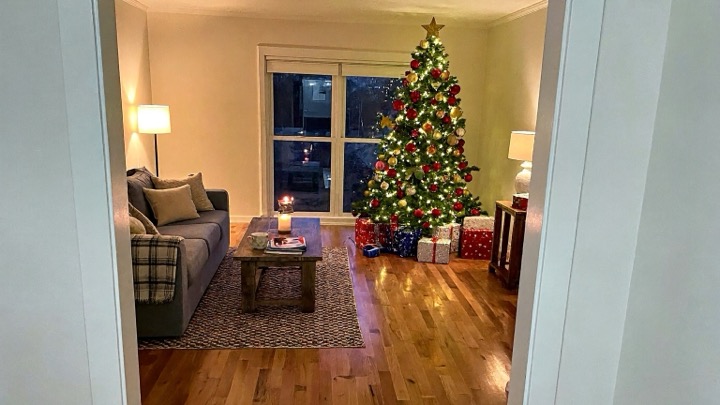
Take or pick a photo of the room with your Christmas tree
- 2
Choose what Santa does and tap Generate
- 3
Download the clip and surprise your kids on Christmas morning
What you get
A 10 second video with sound that looks like footage from a home security camera on Christmas Eve: your own room in the dark, lit by the tree lights, with a timestamp in the corner and a red REC dot.
Pick the scene. In "Leaves presents", Santa tiptoes in with his sack, checks that nobody is awake, puts presents under your tree, freezes when he sees the camera and sneaks out with a finger to his lips. In "Waves at the camera", he drops off a present, walks up to the camera, waves and winks, then vanishes in a puff of golden sparkles.
The video is made in two steps. First an image model turns your photo into the night-time camera frame, keeping your furniture, tree and decorations where they are. Then a video model brings Santa into that frame, so the room in the clip is your room.
How to take a photo that works
Stand in a corner or a doorway and hold the phone a little above head height, the way a security camera looks down on a room. Get the tree and some open floor in the shot so Santa has room to walk.
Take the photo with nobody in the room. A clear photo, day or evening, works: the night-time look is added for you. Wide photos give a classic camera view, and tall photos fit phone screens and Stories.
Photos with children in them are refused before any credits are charged, so take the picture while the kids are out of the room or asleep.
Surprise your kids on Christmas morning
Show the kids "proof" that Santa came: play the clip on the TV or a phone on Christmas morning, right before they open the presents he left under your tree. The timestamp reads 11:58 PM on Christmas Eve.
You can also send it to grandparents in the family group chat or post it to Reels, TikTok or Stories. Make one of each scene and show them on different days, or make a clip for each room where the presents end up.
Questions
Do I need a security camera?
No. Any phone photo of your room works. The security camera look, the timestamp and the night-time lighting are added for you.
Will it really be my room?
Yes. The first frame is made from your photo and the model is told to keep your furniture, tree and decorations in place. Small details can shift, and a clear, uncluttered photo keeps them closest.
Can people be in the photo?
An empty room works best, because Santa needs space to walk. Adults in the photo are allowed, but photos with anyone under 18 are refused before any credits are charged.
Is the video real footage?
No. It is made with AI for fun. Every clip is AI-generated from your photo.
How long does it take?
Usually two to three minutes: the camera frame is made first, then the 10 second video.
What happens if the video fails?
The credits go straight back to your account.
How much does it cost?
Each video costs 40 credits. Credits are a one-time purchase with no subscription; see pricing.